Anonymous Visitor Enrichment in a Single API Call
Instant visitor intelligence using only an IP address and User-Agent string. One request delivers full context to Localize, Optimize, and Monetize every user.
What you can build with it
Three ways to put the visitor enrichment payload to work.

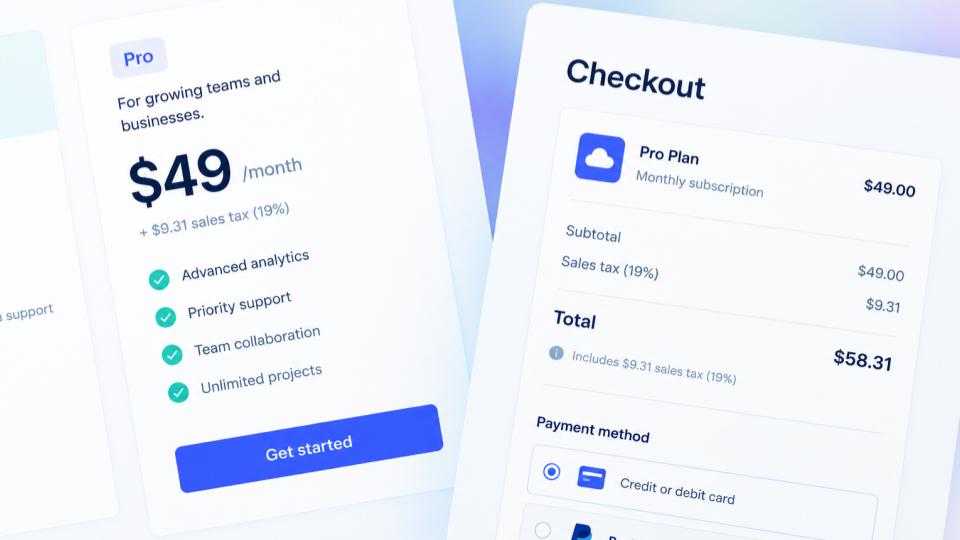

Simple pricing. Add capacity as you grow.
Start free. Need CORS access or higher throughput? Stack units to multiply limits linearly. There are no separate tiers to pick between.
For indie hackers and low-volume server-side use.
- All 9 Intelligence Vectors
- 100 req/min request rate limit
- 10 conns/min connection rate limit
- 2 concurrent connections
- Up to 10 lookups per API request
- 1 CORS domain
- All 9 Intelligence Vectors
- 1000 req/min request rate limit
- 100 conns/min connection rate limit
- 8 concurrent connections
- Up to 10 lookups per API request
- 3 CORS domains
One endpoint. Pick your language.
Send an IP and a user agent, get back the full picture. Same request, ten ways. Or skip the payload entirely and call it straight from the browser.
ACCOUNT_ID=YOUR_ACCOUNT_ID
API_KEY=gv_YOUR_KEY

curl https://$ACCOUNT_ID.api.getvisitor.info/ \
  -H "Authorization: Bearer $API_KEY" \
  -H "Content-Type: application/json" \
  -d '{
    "ip": "84.198.10.20",
    "ua": "Mozilla/5.0 (Linux; Android 14; SM-S928B) AppleWebKit/537.36 (KHTML, like Gecko) Chrome/126.0.0.0 Mobile Safari/537.36"
  }'
# gem install net-http-persistent
require "net/http/persistent"
require "json"
ACCOUNT_ID = "YOUR_ACCOUNT_ID"
API_KEY = "gv_YOUR_KEY"
# Reuse this client across requests. Don't create a new one per call.
HTTP = Net::HTTP::Persistent.new(name: "getvisitor")
def lookup(ip:, ua:)
uri = URI("https://#{ACCOUNT_ID}.api.getvisitor.info/")
req = Net::HTTP::Post.new(uri)
req["Authorization"] = "Bearer #{API_KEY}"
req["Content-Type"] = "application/json"
req.body = { ip: ip, ua: ua }.to_json
JSON.parse(HTTP.request(uri, req).body)
end
# lookup(ip: "84.198.10.20", ua: request.user_agent)import requests
ACCOUNT_ID = "YOUR_ACCOUNT_ID"
API_KEY = "gv_YOUR_KEY"
# Reuse this session across requests. Don't create a new one per call.
session = requests.Session()
session.headers["Authorization"] = f"Bearer {API_KEY}"
def lookup(ip, ua):
response = session.post(f"https://{ACCOUNT_ID}.api.getvisitor.info/", json={"ip": ip, "ua": ua})
return response.json()
# lookup("84.198.10.20", request.headers["User-Agent"])// A traditional PHP-FPM request is its own short-lived process, so
// there's no long-running client object to reuse ACROSS requests the
// way the other examples here do. curl's own keep-alive still reuses
// the TCP/TLS connection for MULTIPLE calls made within the SAME
// request when you keep using the same curl handle, which is what this
// does. If you're on a long-running PHP runtime (Swoole, RoadRunner),
// hold $ch in a worker-scoped variable instead of opening it per request.
$accountId = "YOUR_ACCOUNT_ID";
$apiKey = "gv_YOUR_KEY";
function lookup($ch, $accountId, $apiKey, $ip, $ua) {
curl_setopt_array($ch, [
CURLOPT_URL => "https://{$accountId}.api.getvisitor.info/",
CURLOPT_POST => true,
CURLOPT_HTTPHEADER => [
"Authorization: Bearer {$apiKey}",
"Content-Type: application/json",
],
CURLOPT_POSTFIELDS => json_encode(["ip" => $ip, "ua" => $ua]),
CURLOPT_RETURNTRANSFER => true,
]);
return json_decode(curl_exec($ch), true);
}
$ch = curl_init();
// lookup($ch, $accountId, $apiKey, "84.198.10.20", $_SERVER["HTTP_USER_AGENT"]);
curl_close($ch);const ACCOUNT_ID = "YOUR_ACCOUNT_ID";
const API_KEY = "gv_YOUR_KEY";
// fetch() reuses the underlying connection across calls to the same
// origin automatically. No explicit client/session object needed here.
async function lookup(ip, ua) {
const response = await fetch(`https://${ACCOUNT_ID}.api.getvisitor.info/`, {
method: "POST",
headers: {
"Authorization": `Bearer ${API_KEY}`,
"Content-Type": "application/json",
},
body: JSON.stringify({ ip, ua }),
});
return response.json();
}
// lookup("84.198.10.20", req.headers["user-agent"]);package main
import (
"bytes"
"encoding/json"
"net/http"
)
const accountID = "YOUR_ACCOUNT_ID"
const apiKey = "gv_YOUR_KEY"
// http.DefaultClient reuses connections across calls automatically.
// Its Transport pools them by default, as long as you keep using the
// SAME client, not a fresh http.Client{} constructed per call.
func lookup(ip, ua string) (map[string]interface{}, error) {
payload, err := json.Marshal(map[string]string{"ip": ip, "ua": ua})
if err != nil {
return nil, err
}
req, err := http.NewRequest("POST", "https://"+accountID+".api.getvisitor.info/", bytes.NewBuffer(payload))
if err != nil {
return nil, err
}
req.Header.Set("Authorization", "Bearer "+apiKey)
req.Header.Set("Content-Type", "application/json")
resp, err := http.DefaultClient.Do(req)
if err != nil {
return nil, err
}
defer resp.Body.Close()
var result map[string]interface{}
if err := json.NewDecoder(resp.Body).Decode(&result); err != nil {
return nil, err
}
return result, nil
}
// lookup("84.198.10.20", r.Header.Get("User-Agent"))static final String ACCOUNT_ID = "YOUR_ACCOUNT_ID";
static final String API_KEY = "gv_YOUR_KEY";
// HttpClient reuses connections across calls automatically, as long as
// you keep using the SAME client. Never HttpClient.newHttpClient() per call.
static final HttpClient client = HttpClient.newHttpClient();
static String lookup(String ip, String ua) throws Exception {
String body = String.format(
"""
{"ip": "%s", "ua": "%s"}""",
ip.replace("\"", "\\\""), ua.replace("\"", "\\\"")
);
HttpRequest request = HttpRequest.newBuilder()
.uri(URI.create("https://" + ACCOUNT_ID + ".api.getvisitor.info/"))
.header("Authorization", "Bearer " + API_KEY)
.header("Content-Type", "application/json")
.POST(HttpRequest.BodyPublishers.ofString(body))
.build();
HttpResponse<String> response = client.send(request, HttpResponse.BodyHandlers.ofString());
return response.body();
}
// lookup("84.198.10.20", request.getHeader("User-Agent"));const string AccountId = "YOUR_ACCOUNT_ID";
const string ApiKey = "gv_YOUR_KEY";
// Reuse ONE client for the life of your process. Never `using var client
// = new HttpClient()` per call, which disposes the underlying connection
// immediately and is a well-known source of socket exhaustion under load.
static readonly HttpClient client = new();
static async Task<JsonElement> Lookup(string ip, string ua)
{
if (!client.DefaultRequestHeaders.Contains("Authorization"))
client.DefaultRequestHeaders.Add("Authorization", "Bearer " + ApiKey);
var payload = new { ip, ua };
var response = await client.PostAsJsonAsync($"https://{AccountId}.api.getvisitor.info/", payload);
return await response.Content.ReadFromJsonAsync<JsonElement>();
}
// await Lookup("84.198.10.20", Request.Headers.UserAgent.ToString());require "http/client"
require "json"
ACCOUNT_ID = "YOUR_ACCOUNT_ID"
API_KEY = "gv_YOUR_KEY"
# Reuse this client across requests. Don't create a new one per call.
CLIENT = HTTP::Client.new("#{ACCOUNT_ID}.api.getvisitor.info", tls: true)
def lookup(ip : String, ua : String)
headers = HTTP::Headers{"Authorization" => "Bearer #{API_KEY}", "Content-Type" => "application/json"}
body = {ip: ip, ua: ua}.to_json
response = CLIENT.post("/", headers: headers, body: body)
JSON.parse(response.body)
end
# lookup("84.198.10.20", request.headers["User-Agent"])const ACCOUNT_ID = "YOUR_ACCOUNT_ID";
// No key, no body. The browser IS the visitor, so the API reads ip/ua
// straight off the request. Your domain must be registered first (see
// your dashboard) or this is rejected.
const response = await fetch(`https://${ACCOUNT_ID}.web.getvisitor.info/`);
const data = await response.json();
console.log(data);{
// where they are, and what law/consent applies there
+ "location": { ... }
"country": "Germany",
"country_code": "DE",
"continent": "Europe",
"eu": true,
"state": "Hesse",
"city": "Frankfurt am Main",
// ordered, primary language first
"languages": [{ "code": "de", "rtl": false }],
// the law that applies, and whether you need opt-in consent
"privacy_regime": { "name": "GDPR", "consent": "OPT IN" }
},
// what they're using to browse
+ "device": { ... }
"type": "mobile",
"os": { "name": "Android", "version": "14" },
"browser": { "name": "Chrome", "version": "126" }
},
// their network operator
+ "asn": { ... }
"id": 3209,
"name": "Vodafone GmbH",
// "elevated" = a known hosting/datacenter/VPN network
"threat_level": "normal"
},
// what to charge them, and in what currency
+ "commerce": { ... }
// live FX rates, ready to multiply
"currency": { "code": "EUR", "symbol": "€", "fx_usd": 1.16, "fx_eur": 1.0 },
// ratio vs. a US baseline of 1.0 -- 0.79 means "21% less buys
// the same"
"buying_power": 0.79,
"sales_tax": {
// real abbreviation (VAT, GST, SUT...), null if no tax applies
"label": "VAT",
"rate": 19.0,
// full range once local/provincial add-ons are included --
// already summed, no arithmetic needed on your side
"rate_with_local_addons": { "min": 19.0, "max": 19.0 },
// seller registration threshold, in local currency
"threshold": 0.0
}
},
// time the lookup itself took, server-side
"lookup_latency_ms": 3.88
}Questions worth answering upfront.
Straight answers on limits, data, and access, before you have to ask.
Do you store the IPs or user agents I send?
No. IPs and user agents are only processed in memory and are never stored or logged. We keep request counters only (account, day, count) for billing, no visitor data, no lookup logs. Every response is computed fresh from static reference data.
What happens if I go over my rate limit or quota?
You get a clear 429 response once you hit your limit, so you always know exactly where you stand — no silent throttling. If requests keep coming in at an excessive rate during that cool-off, further connections get dropped outright rather than degraded or queued. Staying under your limit avoids both entirely.
What are the API lookup limits?
There's a limit on the overall API lookups you can perform per month, which depends on your package and how many units you've bought. You can request up to 16 lookups per API call, and all of them count toward your monthly usage.
Are there other API limits?
Yes — a few more, to keep the API fair for everyone. These stack per unit on Pro accounts: requests per minute, concurrent connections, and connection rate per minute.
What is the connection rate limit?
The number of new connections you can establish to the API endpoint every minute. It's intentionally lower than your requests-per-minute limit, to encourage reusing connections rather than opening a new one for every request — opening a new connection per request roughly triples latency and adds unnecessary load on our backend servers.
What are the CORS usage limits?
CORS has its own lookups limit, separate from the API's: 1,000 per month and 1 domain on the free plan, and 1,000,000 per month and 3 domains per unit on paid plans. CORS naturally has no connection rate or concurrent connection limits, but it shares the same requests-per-minute limit as the API, and each CORS request can only perform a single lookup.
Can I use the free tier in production?
Yes — 6,000 lookups every month, no card required, and good enough for use with a low traffic website or app. If you ever do need more, paid units stack a lot more generous lookups, rate limit, connections, and CORS access together.
How can I increase my monthly quota?
Add units. Each unit adds 5,000,000 lookups, and also raises your rate limit, connection cap, and CORS lookup allowance together — so scaling up quota never leaves you rate-limited, connection-starved, or short on CORS access at the new volume.
How do I manage my subscription?
From your account, you can add or remove units at any time. Changes apply immediately, and any credit or charge from the change is invoiced right away too.
Can I cancel my subscription?
Yes, any time. Cancelling doesn't cut you off immediately — your service keeps running until the end of your current billing period, so you get what you already paid for.
How do I authenticate from a backend?
One API_KEY in the Authorization: Bearer header, sent to <ACCOUNT_ID>.api.getvisitor.info. No extra setup, no signing, just the header on every request.
How do I call the API from a browser?
Register your domain, then call GET directly on <ACCOUNT_ID>.web.getvisitor.info — no API_KEY, no header, no body. The API reads the visitor from the request itself. The free plan includes 1 domain; paid plans get 3 per unit.
How fresh and accurate is the data?
Geo and ASN data refreshes monthly, FX rates daily, and buying-power/tax data a few times a year as sources publish updates. Everything is static reference data looked up in memory, not fetched or inferred per request. Country-level geolocation is highly accurate; city-level is good but naturally less precise.
What's the uptime and latency like?
Lookups are served entirely from memory with no external calls per request, so the API itself adds only a few microseconds of processing time. Network latency to our servers is stellar from Europe, great from North America's East Coast and North Africa, good from the US West Coast and the Middle East, and OK from South America and the rest of Africa. We're actively working on expanding our infrastructure footprint to bring better latency everywhere else. We rely on high-availability clusters with automatic failover to keep the service up and reliable.